
Creating an Android Library as a GitHub Package
Last Updated 2025-09-29 UTC+8.
In the realm of Android development, the process of creating libraries plays a crucial role in enhancing code reusability and efficiency. Leveraging GitHub Packages as a distribution mechanism adds a layer of accessibility and organization to these libraries. This article delves into the steps involved in crafting an Android library, publishing it as a GitHub Package, and guides you on how to install the GitHub Package created.
Development Environment
- Android Studio Narwhal 3 Feature Drop | 2025.1.3
- macOS (Windows should be similar)
Create a New Project
Open Android Studio.
Click
File > New > New Project....Choose a template.
Enter your project info (not module info).
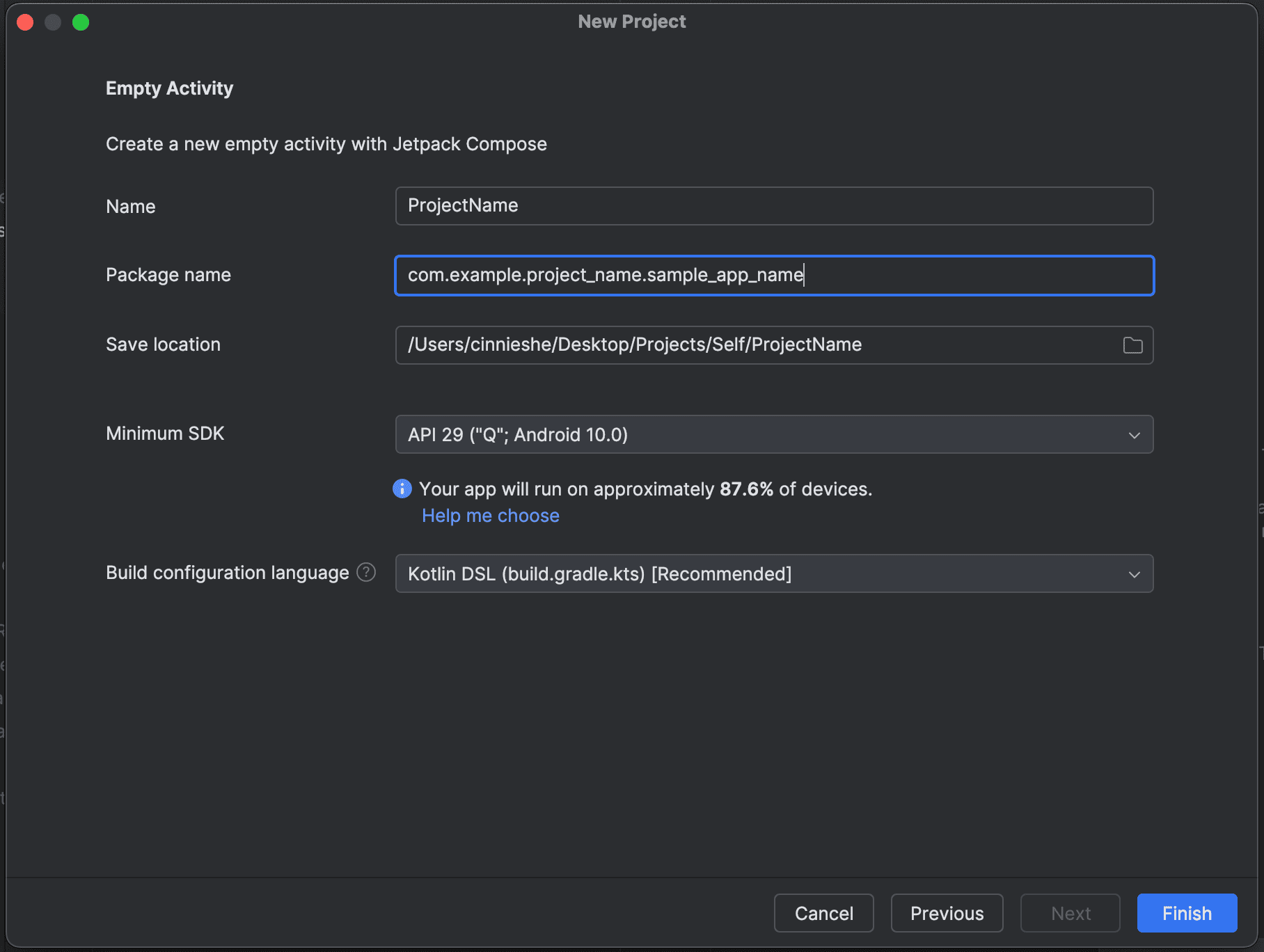
Click
Finish. A new project should have been created.Click
File > New > New Module....Select
Android Libraryand enter your module name.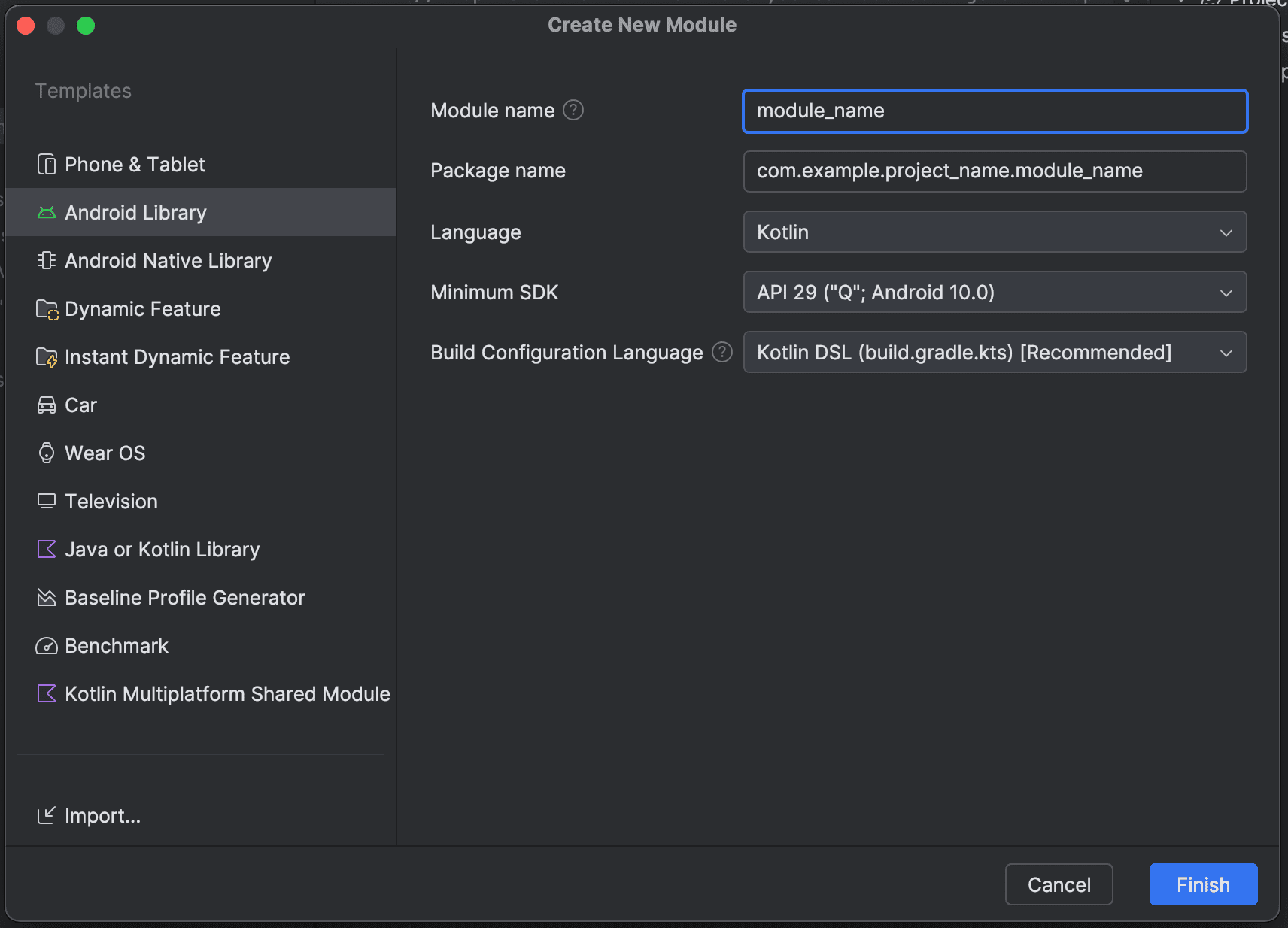
Click
Finish. A new module should have been created.
Set up APIs and Sample App
Create a test class in your module. For example:
kotlinpackage com.example.project_name.module_name class TestClass { fun greet(): String { return "Hello, Module Trial!" } }To setup the sample app, in
build.gradle.kts (Module :app), add a new line in the dependencies block to import the module:kotlindependencies { implementation(project(":module_name")) // ... }Sync Gradle.
In your
MainActivity.ktfile of your sample app, update the UI showing the value returned by ourTestClassdefined above.kotlin@Composable fun Greeting(name: String, modifier: Modifier = Modifier) { Text( text = TestClass().greet(), modifier = modifier ) }Run the app, it should be showing
Hello, Module Trial!on the UI, that means the module is successfully integrated into the sample app.
Set up for Package Deployment
In
gradle/libs.versions.tomlfile, add a line under the[version]tag to indicate your module version, and add another for themaven-publishplugin. Sync Gradle.toml[versions] moduleName = "1.0.0" [plugins] maven-publish = { id = "maven-publish" }Create a personal access token in GitHub to publish your package. (Go to
Settings > Developer Settings > Personal access tokens > Tokens (classic), create a new token and give the neccessary permissionsrepoandwrite:packages).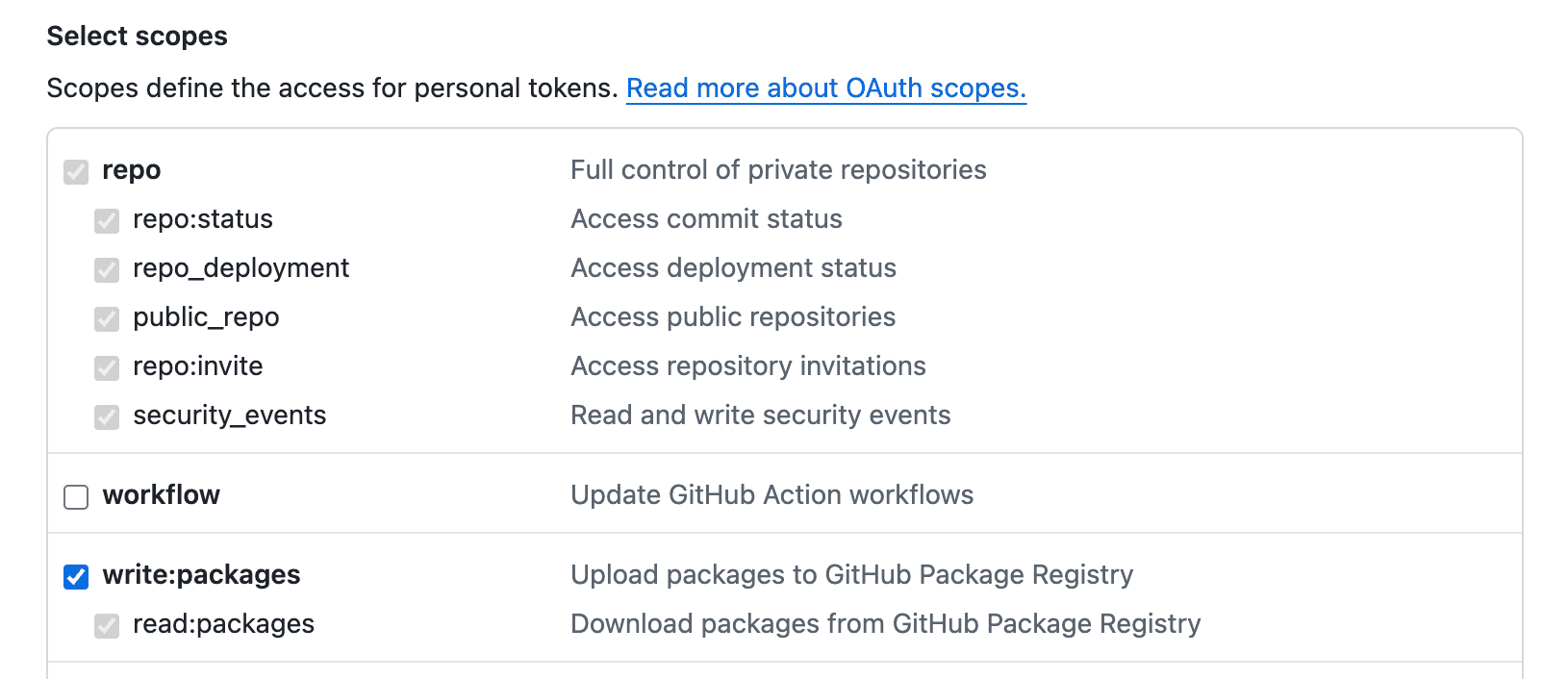
In
gradle.properties, add your GitHub username and personal access token:propertiesgpr.user=your_github_username gpr.token=your_personal_access_tokenUpdate the
build.gradle.kts (Module :module_name)file. Replace with your GitHub username, GitHub repository name, personal access token, and artifact ID.kotlinimport org.jetbrains.kotlin.gradle.dsl.JvmTarget plugins { // ... alias(libs.plugins.maven.publish) } android { // ... publishing { singleVariant("release") { withSourcesJar() withJavadocJar() } } } // ... afterEvaluate { publishing { publications { register<MavenPublication>("release") { groupId = "com.github.your_github_username" // TODO: update this artifactId = "my_artifact_id" // TODO: update this version = libs.versions.moduleName.get() // TODO: from version catalogs afterEvaluate { from(components["release"]) } } } repositories { maven { name = "GitHubPackages" url = uri("https://maven.pkg.github.com/your_github_username/your_github_repo_name") // TODO: update this credentials { username = project.findProperty("gpr.user") as? String ?: System.getenv("your_github_username") // TODO: update this password = project.findProperty("gpr.token") as? String ?: System.getenv("your_personal_access_token") // TODO: update this } } } } }Sync Gradle.
Deploy GitHub Package
In
gradle/libs.versions.toml, update the version ofmoduleNameunder the[versions]section. Sync Gradle.Run
./gradlew clean assembleRelease publishat root folder. This will build theaarfiles in themodule_name/build/outputs/aarfolder, and publish theaarto GitHub Package.Git commit and tag your commit with your version number. Push to GitHub.
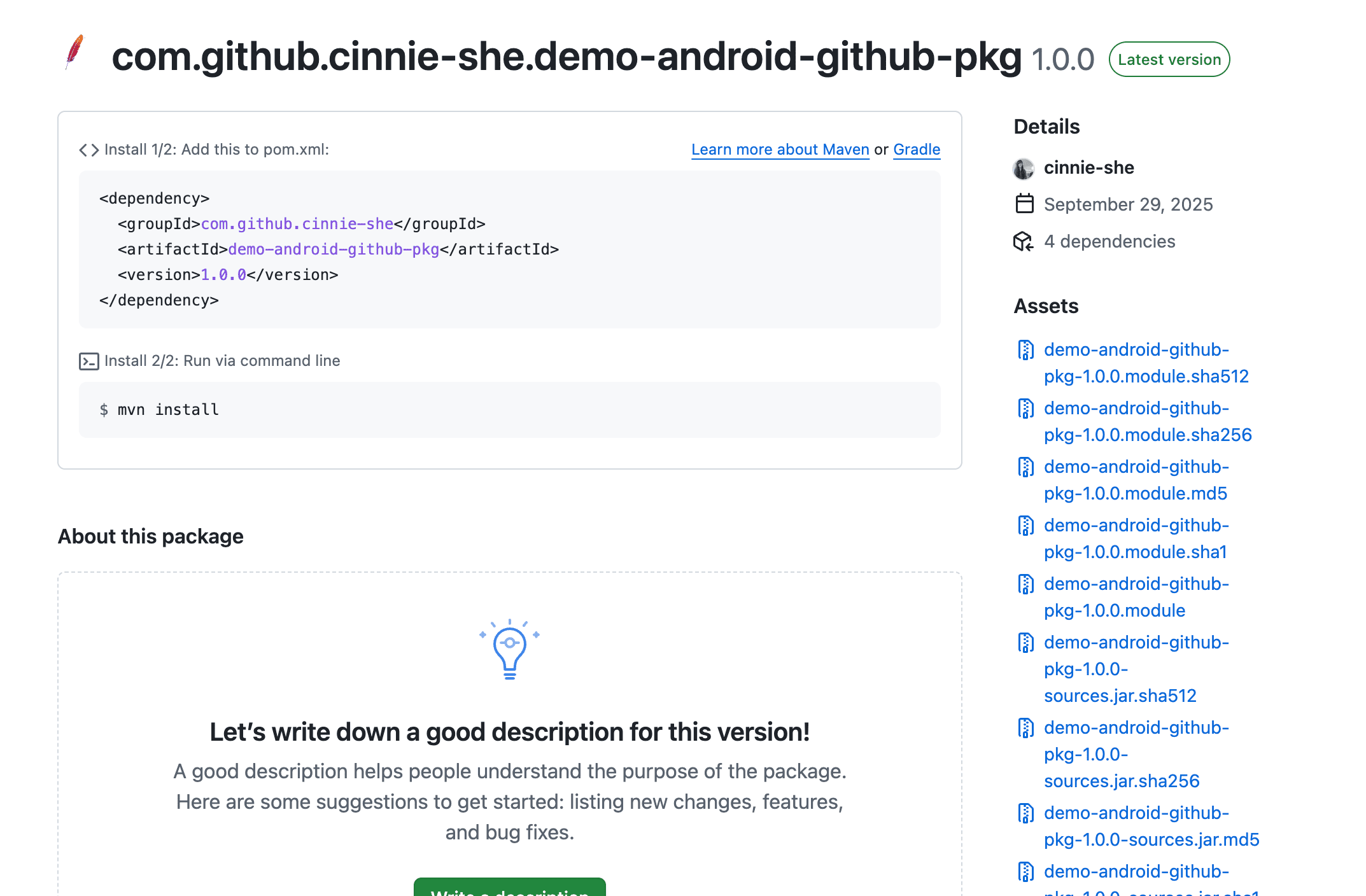
You should be able to see your published GitHub Package on the right panel of your repository's GitHub web page. For example, I've created a GitHub Package with artifact id
demo-android-github-pkg: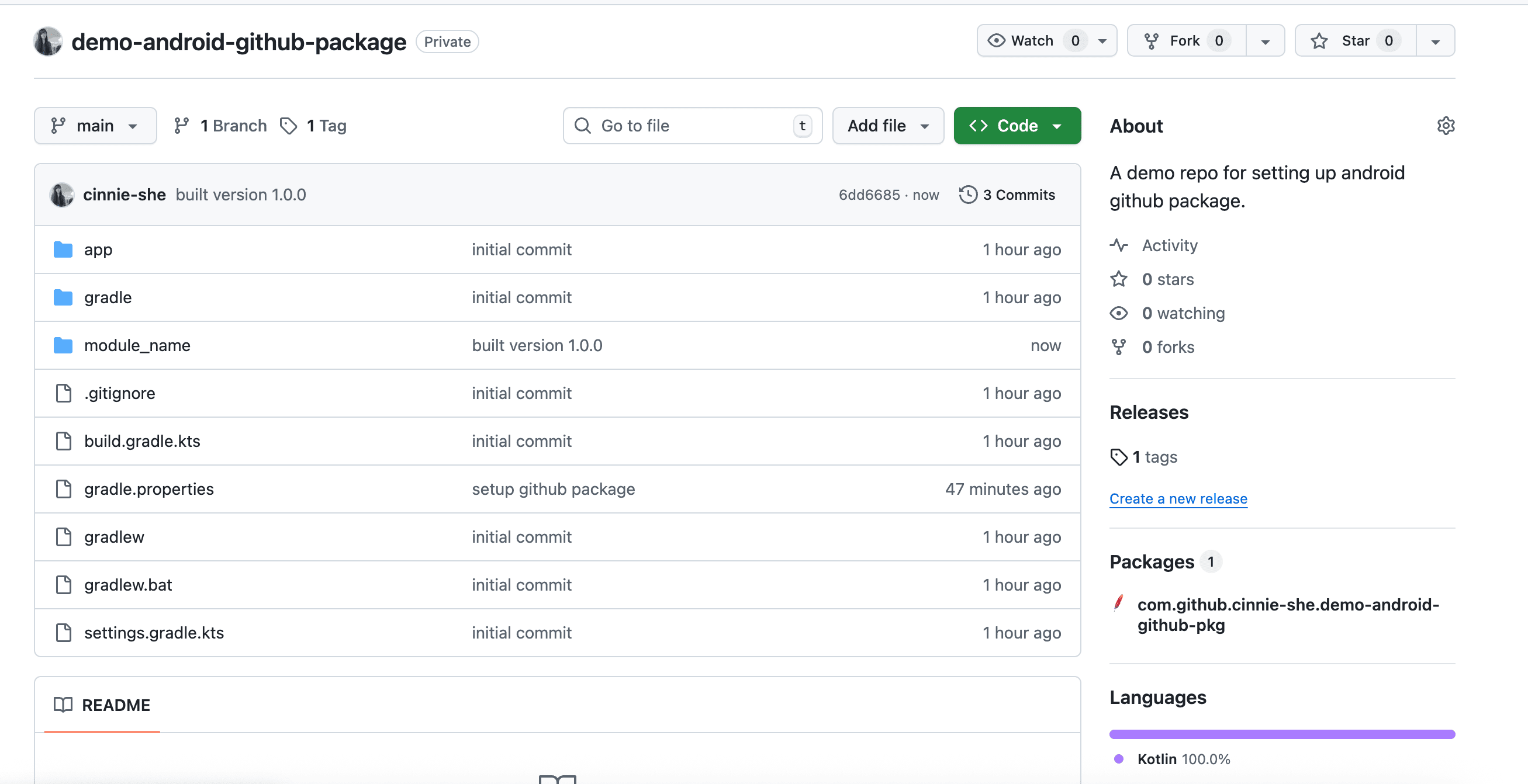
And if you click into it, you will be able to see the package details. For example:
Install as a Dependency
In your
gradle/libs.versions.tomlfile, under[versions]and[libraries]section, using your artifact ID and GitHub username, add the followings:toml[versions] your_artifact_id = "1.0.0" [libraries] your_artifact_id = { group = "com.github.your_github_username", name = "your_artifact_id", version.ref = "your_artifact_id" } [plugins] maven-publish = { id = "maven-publish" }In
settings.gradle.kts, add the followings to resolve the dependency:kotlindependencyResolutionManagement { // ... repositories { google() mavenCentral() // Add the followings maven { name = "GitHubPackages" url = uri("https://maven.pkg.github.com/your_github_username/your_github_repo_name") credentials { username = providers.gradleProperty("gpr.user").getOrElse("your_github_username") password = providers.gradleProperty("gpr.token").getOrElse("your_personal_access_token") } } } }In
gradle.properties, add your GitHub username and personal access token:propertiesgpr.user=your_github_username gpr.token=your_personal_access_tokenAdd the dependency in
build.gradle.kts (Module :app).kotlindependencies { implementation(libs.your.artifact.id) }Sync Gradle. You should be able to use the APIs provided by your GitHub Package now.